
TIDAS Documentation Contribution Guide
Welcome to contribute to TIDAS documentation! Here's the contribution process:
1. Fork the Project
-
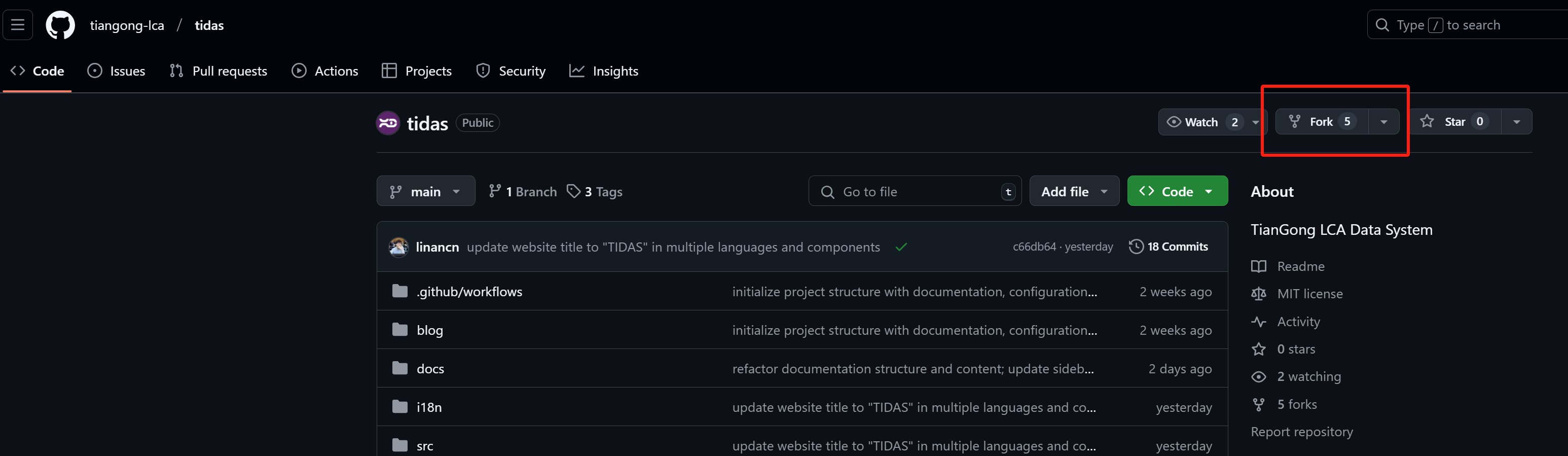
Visit TIDAS GitHub page
-
Click the "Fork" button in the top right corner
-
Select your GitHub account as the destination
2. Clone the Repository
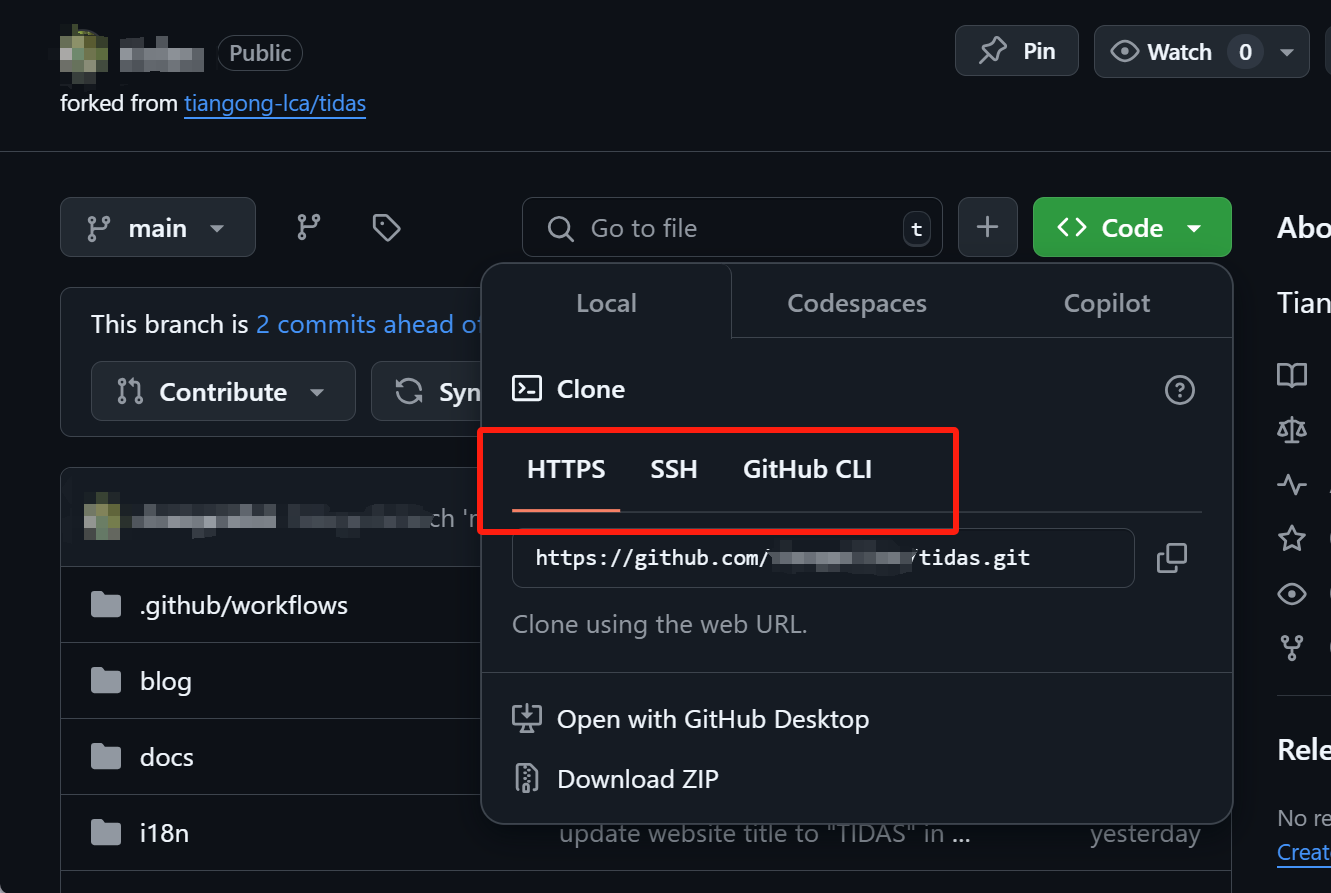
git clone https://github.com/YOUR-USERNAME/tidas.gitYou can choose HTTPS or SSH depending on your setup. If using SSH, you'll need to add SSH keys to your GitHub account.
3. Make Changes
-
Documentation files are located in the
docs/directory -
Use Markdown syntax for writing documentation
-
Ensure you follow the existing documentation style
4. Commit Changes
git add .
git commit -m "Describe your changes"
git push origin your-branch-name
5. Create Pull Request (PR)
-
Visit your forked GitHub repository page
-
Click the "Compare & pull request" button
-
Fill in the PR description explaining your changes
-
Click "Create pull request"
6. Code Review
-
Wait for project maintainers to review your PR
-
Make necessary changes based on feedback
Contribution Guidelines
-
Keep documentation clear and concise
-
Follow existing formatting and style
-
Ensure all links are valid
-
Use proper Markdown syntax
We recommend using VS Code as your code editor.
Thank you for your contributions!